
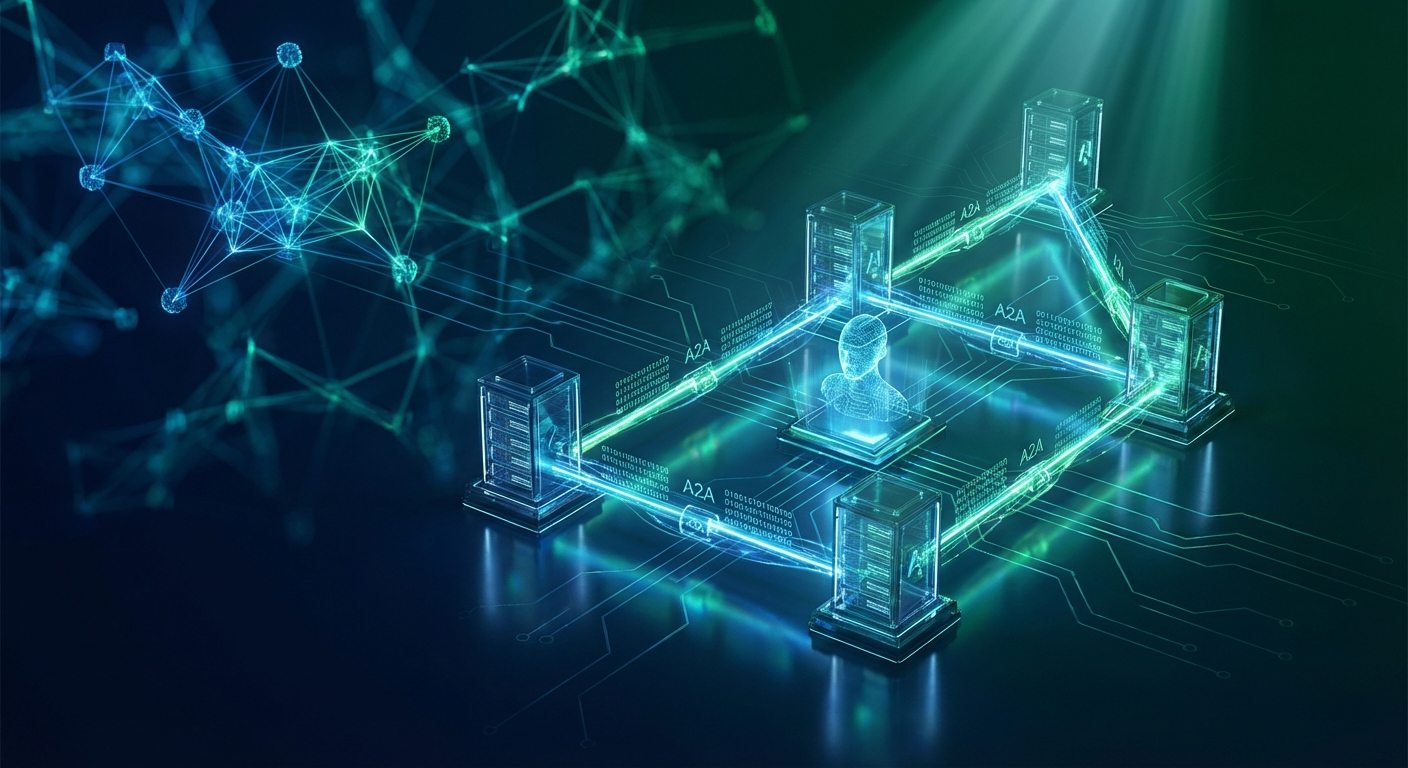
What Is the Google A2A Protocol?
When I was building payment gateway connectivity platforms at JPMorgan Chase, every integration team had the same problem: getting two systems to talk to each other required months of custom API work. We needed a standard. HTTP eventually became that standard for the web. The A2A protocol is trying to do the same thing for AI agents.
Announced by Google in April 2025 and reaching v1.0 by early 2026, the Agent-to-Agent (A2A) protocol is an open specification that enables AI agents — regardless of their underlying framework, vendor, or runtime — to:
- Discover each other's capabilities via a standardised Agent Card
- Delegate tasks using a well-defined Task object over JSON-RPC 2.0
- Communicate progress through push notifications or streaming responses
- Return structured outputs as typed Artifacts (text, files, data)
The protocol is transport-agnostic (HTTP is the primary target, but WebSocket and gRPC extensions exist) and authentication-flexible (API keys, OAuth2, OIDC, and mTLS are all supported via the Agent Card's securitySchemes block).
The practical result: a LangGraph orchestrator agent running in your private cloud can delegate a code-review subtask to a Vertex AI agent in Google Cloud, which in turn calls a CrewAI agent in your partner's infrastructure — all without any custom integration code. The protocol handles discovery, serialisation, error propagation, and acknowledgement.
By Q1 2026, A2A has been adopted or is in preview by: Google Vertex AI Agent Builder, LangGraph (LangChain), CrewAI, Microsoft AutoGen, Semantic Kernel, Amazon Bedrock Agents, and every major enterprise agentic platform. If you're building a multi-agent system in 2026 that isn't A2A-aware, you're already building technical debt.
A2A vs MCP: Understanding the Full Agentic Stack
The most common question I get in my Agentic AI workshops — and at Oracle where we achieved a 4.91/5.0 rating in February 2026 — is: "Do I need A2A if I'm already using MCP?" The answer is: they solve completely different problems.
| Dimension | MCP (Anthropic) | A2A (Google) |
|---|---|---|
| Who talks to whom | Agent ↔ Tool/Resource | Agent ↔ Agent |
| Primary use case | Tool invocation, context provision, resource access | Task delegation, capability discovery, multi-agent orchestration |
| Analogy | An employee calling internal APIs | One specialist contractor engaging another contractor |
| Transport | stdio, HTTP SSE | HTTP(S), WebSocket, gRPC |
| Discovery mechanism | MCP server manifest | Agent Card at /.well-known/agent.json |
| Used together? | ✅ Yes — MCP for tool access within an agent; A2A for delegation between agents | |
Think of your enterprise multi-agent system as a company. MCP is the internal tooling (databases, APIs, file systems) that each employee accesses. A2A is the org chart and communication protocol that lets department heads delegate projects to specialised teams. You need both to run a functioning organisation.
In production, a typical flow looks like this:
- An Orchestrator Agent receives a high-level task (via A2A from the user-facing system)
- It queries its Agent Registry to discover which specialist agents are available (A2A Agent Card lookup)
- It delegates a subtask to a Specialist Agent via A2A Task request
- The Specialist Agent uses MCP to access a database or call an external API
- The Specialist returns an A2A Artifact to the Orchestrator
- The Orchestrator aggregates outputs and returns a final response
A2A Architecture Deep Dive: Agent Cards, Tasks, and Artifacts
The three core primitives of the A2A protocol are Agent Cards, Tasks, and Artifacts. Let me walk through each with production-grade examples.
1. Agent Card — The Capability Manifest
Every A2A-compliant agent publishes a self-description at GET /.well-known/agent.json. This is how other agents discover what you can do, how to authenticate, and what data formats you accept.
{
  "name": "FinancialDataAgent",
  "description": "Retrieves and analyses financial data from Bloomberg, Refinitiv, and internal data lakes",
  "version": "1.2.0",
  "url": "https://financial-agent.internal.company.com",
  "capabilities": {
    "streaming": true,
    "pushNotifications": true,
    "stateTransitionHistory": true
  },
  "skills": [
    {
      "id": "get_market_data",
      "name": "Get Market Data",
      "description": "Fetches real-time or historical OHLCV data for equities, FX, or fixed income",
      "inputModes": ["text", "data"],
      "outputModes": ["data", "file"]
    },
    {
      "id": "risk_assessment",
      "name": "Portfolio Risk Assessment",
      "description": "Calculates VaR, CVaR, and stress test scenarios for a portfolio",
      "inputModes": ["data"],
      "outputModes": ["data", "text"]
    }
  ],
  "securitySchemes": {
    "bearerAuth": {
      "type": "http",
      "scheme": "bearer",
      "bearerFormat": "JWT"
    }
  },
  "security": [{"bearerAuth": []}]
}
2. Task Object — The Unit of Work
When an orchestrator delegates work, it POSTs a Task to the agent's /tasks/send endpoint. The Task carries a unique ID, the requesting agent's identity, and the input message:
POST /tasks/send
Authorization: Bearer eyJhbGci...

{
  "id": "task-7f3a-2026-03-25",
  "sessionId": "session-risk-analysis-q1-2026",
  "message": {
    "role": "user",
    "parts": [
      {
        "type": "text",
        "text": "Calculate 1-day 99% VaR for the attached portfolio as of 2026-03-24 market close"
      },
      {
        "type": "data",
        "data": {
          "portfolio_id": "GLOBAL-EQ-047",
          "positions": [...]
        }
      }
    ]
  },
  "metadata": {
    "priority": "high",
    "requester_agent": "RiskOrchestrationAgent/2.1",
    "callback_url": "https://orchestrator.internal/a2a/notify/task-7f3a-2026-03-25"
  }
}
3. Artifacts — Structured Outputs
The agent returns its results as typed Artifacts — not raw JSON blobs. This allows downstream agents to process outputs programmatically without guessing schema:
{
  "id": "task-7f3a-2026-03-25",
  "status": {"state": "completed"},
  "artifacts": [
    {
      "name": "var_result",
      "parts": [
        {
          "type": "data",
          "data": {
            "metric": "VaR_99_1d",
            "value": 2847650.00,
            "currency": "USD",
            "confidence_interval": [2210000, 3480000],
            "methodology": "Historical Simulation (500-day lookback)"
          }
        }
      ]
    }
  ]
}
This three-layer structure — discover via Agent Card, delegate via Task, receive structured Artifacts — is everything you need to build a composable multi-agent system. The protocol's genius is its simplicity: it's essentially a strongly-typed REST API specification for AI agents.
Enterprise Multi-Agent Patterns with A2A
Having trained over 5,000 professionals at organisations including Oracle, Deloitte, and JPMorgan, I've seen a small set of A2A patterns emerge repeatedly in enterprise production environments. Here are the four you need to know.
Pattern 1: Hub-and-Spoke Orchestration
The most common pattern. A central Orchestrator Agent coordinates a set of Specialist Agents. The orchestrator owns the task graph; specialists own deep domain knowledge (database queries, document analysis, API calls). The orchestrator is A2A-aware; specialists may use MCP internally for tool access.
When to use: Well-defined workflows with clear task decomposition — financial report generation, code review pipelines, multi-step customer onboarding.
Pattern 2: Peer-to-Peer Agent Delegation
Any agent can call any other agent directly. No central orchestrator. Agents self-discover via an Agent Registry (a simple service that indexes all Agent Cards on your cluster) and delegate tasks as needed.
When to use: Dynamic, emergent workflows where task structure can't be predetermined — autonomous SRE operations, adaptive document processing pipelines.
Pattern 3: A2A Gateway Pattern
Your internal agents should never be directly exposed to the internet. An A2A Gateway acts as a secure proxy — authenticating inbound A2A requests, enforcing rate limits, routing tasks to appropriate internal agents, and translating between external and internal auth schemes.
When to use: Any enterprise deployment that needs to accept A2A tasks from external partners, customers, or cloud-hosted agents while keeping internal infrastructure private.
Pattern 4: Hierarchical Agent Teams
For very large systems, nest orchestrators: a top-level Business Process Orchestrator delegates to domain-level Orchestrators (Finance, HR, Engineering), which each coordinate their own team of Specialist Agents. This mirrors how large organisations actually work — and it scales.
When to use: Enterprise-wide automation initiatives, digital workforce deployments, cross-departmental AI platforms.
I go deep into all four patterns with hands-on labs in our 5-day Agentic AI Workshop — the same workshop that earned a 4.91/5.0 rating at Oracle in February 2026.
Deploying an A2A Agent Mesh on Kubernetes
Running A2A agents on Kubernetes gives you horizontal scaling, health checks, rolling updates, and RBAC-controlled access to secrets — all the enterprise-grade infrastructure concerns that matter in production. Here's a production-ready deployment pattern.
Step 1: Deploy Each Agent as a Kubernetes Service
apiVersion: apps/v1
kind: Deployment
metadata:
  name: financial-data-agent
  namespace: agentic-platform
  labels:
    app: financial-data-agent
    a2a.gheware.com/role: specialist
spec:
  replicas: 2
  selector:
    matchLabels:
      app: financial-data-agent
  template:
    metadata:
      labels:
        app: financial-data-agent
    spec:
      containers:
      - name: agent
        image: registry.company.com/agents/financial-data-agent:1.2.0
        ports:
        - containerPort: 8080
          name: a2a-http
        env:
        - name: AGENT_CARD_URL
          value: "https://financial-agent.agentic-platform.svc.cluster.local"
        - name: MCP_SERVER_URL
          valueFrom:
            secretKeyRef:
              name: mcp-config
              key: bloomberg-mcp-url
        livenessProbe:
          httpGet:
            path: /health
            port: 8080
          initialDelaySeconds: 30
          periodSeconds: 15
        readinessProbe:
          httpGet:
            path: /.well-known/agent.json  # A2A Agent Card doubles as readiness probe
            port: 8080
          initialDelaySeconds: 10
          periodSeconds: 5
---
apiVersion: v1
kind: Service
metadata:
  name: financial-data-agent
  namespace: agentic-platform
spec:
  selector:
    app: financial-data-agent
  ports:
  - port: 80
    targetPort: 8080
    name: a2a-http
Step 2: NetworkPolicy for Inter-Agent Security
apiVersion: networking.k8s.io/v1
kind: NetworkPolicy
metadata:
  name: a2a-specialist-ingress
  namespace: agentic-platform
spec:
  podSelector:
    matchLabels:
      a2a.gheware.com/role: specialist
  policyTypes:
  - Ingress
  ingress:
  - from:
    # Only orchestrators can call specialists directly
    - podSelector:
        matchLabels:
          a2a.gheware.com/role: orchestrator
    # And the A2A gateway for external delegation
    - podSelector:
        matchLabels:
          app: a2a-gateway
    ports:
    - protocol: TCP
      port: 8080
Step 3: Agent Registry via ConfigMap
For small deployments, a ConfigMap-backed registry is sufficient. For production at scale, use a dedicated Agent Registry service backed by Redis or etcd:
apiVersion: v1
kind: ConfigMap
metadata:
  name: a2a-agent-registry
  namespace: agentic-platform
data:
  registry.json: |
    {
      "agents": [
        {
          "name": "FinancialDataAgent",
          "card_url": "http://financial-data-agent.agentic-platform.svc.cluster.local/.well-known/agent.json",
          "capabilities": ["get_market_data", "risk_assessment"],
          "tier": "specialist"
        },
        {
          "name": "DocumentAnalysisAgent",
          "card_url": "http://document-agent.agentic-platform.svc.cluster.local/.well-known/agent.json",
          "capabilities": ["extract_text", "classify_document", "summarise"],
          "tier": "specialist"
        }
      ]
    }
The orchestrator agent reads this ConfigMap at startup, fetches each Agent Card, and builds its internal capability map. When it needs to delegate a task, it queries the map for the best-matching specialist.
Integrating LangGraph Agents with A2A
LangGraph is my go-to framework for building stateful, production-grade agents — and we cover it extensively in the Agentic AI Workshop. Integrating an existing LangGraph agent with A2A requires wrapping it behind an HTTP server that implements the A2A spec.
from fastapi import FastAPI, HTTPException
from pydantic import BaseModel
from langgraph.graph import StateGraph
import uuid, json

app = FastAPI()

# Your existing LangGraph agent
from agents.risk_agent import build_risk_graph
risk_graph = build_risk_graph()

# --- A2A AGENT CARD ---
AGENT_CARD = {
    "name": "RiskOrchestrationAgent",
    "description": "LangGraph-powered risk analysis orchestrator",
    "version": "2.1.0",
    "url": "https://risk-orchestrator.agentic-platform.svc.cluster.local",
    "capabilities": {"streaming": True, "pushNotifications": False},
    "skills": [
        {
            "id": "analyse_portfolio_risk",
            "name": "Analyse Portfolio Risk",
            "description": "Full risk analysis: VaR, CVaR, stress testing, concentration risk",
            "inputModes": ["text", "data"],
            "outputModes": ["data", "text"]
        }
    ],
    "securitySchemes": {
        "bearerAuth": {"type": "http", "scheme": "bearer", "bearerFormat": "JWT"}
    },
    "security": [{"bearerAuth": []}]
}

# --- A2A ENDPOINTS ---
@app.get("/.well-known/agent.json")
async def get_agent_card():
    return AGENT_CARD

class A2ATask(BaseModel):
    id: str
    sessionId: str = None
    message: dict
    metadata: dict = {}

@app.post("/tasks/send")
async def handle_task(task: A2ATask):
    # Extract text input from A2A message parts
    input_text = ""
    input_data = {}
    for part in task.message.get("parts", []):
        if part.get("type") == "text":
            input_text = part["text"]
        elif part.get("type") == "data":
            input_data = part["data"]

    # Invoke LangGraph — same as you do today
    result = await risk_graph.ainvoke({
        "input": input_text,
        "portfolio_data": input_data,
        "session_id": task.sessionId or str(uuid.uuid4())
    })

    # Wrap result as A2A Artifact
    return {
        "id": task.id,
        "status": {"state": "completed"},
        "artifacts": [
            {
                "name": "risk_analysis_result",
                "parts": [
                    {"type": "data", "data": result.get("analysis_output", {})},
                    {"type": "text", "text": result.get("summary", "")}
                ]
            }
        ]
    }
That's it. Your existing LangGraph agent is now A2A-compliant. Any orchestrator that speaks A2A — whether it's a Google Vertex AI Agent Builder orchestrator, an AutoGen agent, or another LangGraph agent — can now discover and call your agent without any further integration work.
The pattern works in reverse too: your LangGraph orchestrator can call external A2A agents using the a2a_client library:
from a2a_client import A2AClient

# Discover the specialist agent
client = A2AClient("https://financial-data-agent.agentic-platform.svc.cluster.local")
card = await client.get_agent_card()

# Delegate a task
task_result = await client.send_task(
    message={
        "role": "user",
        "parts": [
            {"type": "text", "text": "Get AAPL, MSFT, GOOGL closing prices for 2026-03-24"},
            {"type": "data", "data": {"format": "OHLCV", "interval": "1d"}}
        ]
    },
    session_id="risk-analysis-session-042"
)

# Process the A2A Artifact in your LangGraph state
market_data = task_result.artifacts[0].parts[0]["data"]
Security Considerations for Enterprise A2A Deployments
Multi-agent systems amplify security risk. If an attacker compromises one agent, they can potentially use it to pivot across your entire agent mesh via legitimate A2A calls. In my 25 years of enterprise architecture — building systems at Deutsche Bank's OTC derivatives desk and JPMorgan's payment gateway — I've learned that security must be designed in, not bolted on.
1. Agent Identity — OIDC JWT, Not Static API Keys
Each agent should have a dedicated service account issued a short-lived JWT via your OIDC provider (Keycloak, Google Cloud Identity, AWS Cognito). Agents authenticate using bearer tokens with a short TTL (15 minutes maximum). Static API keys are a single point of compromise — avoid them in production.
2. Capability-Scoped Authorisation
The A2A token's claims should specify exactly which skills the calling agent is permitted to invoke on the target agent. An HR analytics agent should never be able to call a risk_assessment skill on a financial agent, even if it can reach it on the network. Implement an OPA (Open Policy Agent) Gatekeeper policy to enforce this at the Kubernetes admission layer.
3. Prompt Injection Firewalling
A malicious orchestrator (or a compromised one) can craft A2A Task messages that attempt prompt injection on the specialist agent. Implement a lightweight LLM Guard layer on the /tasks/send endpoint of each specialist agent that scans incoming message parts for injection patterns before passing them to the LLM.
4. Audit Logging Every Task
Every A2A Task — request, status transitions, and Artifact return — must be logged to an immutable audit store (OpenTelemetry → OpenSearch or BigQuery). This is non-negotiable for financial services, healthcare, and government deployments. The trace should include: calling agent identity, task ID, skill invoked, latency, and a hash of the input/output for integrity verification.
5. Circuit Breakers for Runaway Agents
An orchestrator with a bug (or a malicious Task payload) can trigger cascading calls across your agent mesh. Implement a circuit breaker at the A2A Gateway: if any agent receives more than N tasks per second from the same session ID, throttle and alert. This prevents both accidental runaway loops and intentional DoS via agent cascade.
Frequently Asked Questions
What is the Google A2A protocol?
Google A2A (Agent-to-Agent) is an open protocol that allows AI agents from different vendors and frameworks to discover, communicate with, and delegate tasks to each other using standardised JSON-RPC 2.0 over HTTP(S). It defines Agent Cards (capability manifests), Tasks (units of work), and Artifacts (structured outputs). The protocol reached v1.0 in early 2026 and is now supported by all major agentic AI platforms.
What is the difference between A2A and MCP?
MCP (Model Context Protocol by Anthropic) governs how an AI model accesses tools and context — it's agent-to-tool communication. A2A (Agent-to-Agent Protocol by Google) governs how AI agents communicate with and delegate work to other AI agents — it's agent-to-agent collaboration. In a production enterprise system, you use both: MCP for tool access within each agent, A2A for orchestration and delegation between agents.
How do I deploy A2A agents on Kubernetes?
Each A2A agent runs as a Kubernetes Deployment with a ClusterIP Service exposing port 80/8080. The Agent Card is served at /.well-known/agent.json and doubles as a readiness probe endpoint. A central Agent Registry (ConfigMap or dedicated service) enables discovery. Use NetworkPolicy to restrict inter-agent traffic (only orchestrators call specialists), and expose only the A2A Gateway externally via Ingress with TLS.
Is A2A protocol production-ready in 2026?
Yes. By early 2026, the A2A protocol has reached v1.0 and is supported by Google Vertex AI Agent Builder, LangGraph, CrewAI, AutoGen, Semantic Kernel, and Amazon Bedrock Agents. Enterprise adopters include major financial institutions and cloud-native SRE platforms using A2A for autonomous multi-agent workflows.
Can A2A work with LangGraph?
Yes. LangGraph agents can be made A2A-compliant by wrapping them behind a FastAPI HTTP server that implements the Agent Card endpoint and the /tasks/send endpoint. The LangGraph graph is invoked inside the task handler. Going the other direction, a LangGraph orchestrator can call external A2A agents using the a2a_client library. Both patterns are covered in the gheWARE Agentic AI Workshop.
Conclusion: A2A Is the Enterprise Multi-Agent Standard — Start Now
When HTTP became the standard for web communication in the mid-1990s, teams that adopted it early built durable architectures. Teams that stuck with proprietary protocols spent the next decade rewriting integrations. The A2A protocol is at that same inflection point today.
The architecture is elegant in its simplicity: every agent publishes an Agent Card describing what it can do, accepts Tasks via a standard endpoint, and returns typed Artifacts. Pair that with MCP for tool access, deploy on Kubernetes with proper NetworkPolicy and OIDC authentication, and you have a production-grade multi-agent foundation that any framework can plug into.
The teams winning in enterprise AI right now are not the ones with the best individual models — they're the ones that have mastered agent coordination. A2A is how you coordinate at scale.
I've seen this first-hand. We're in the middle of an Agentic AI Workshop this week where engineers are building A2A-connected LangGraph agents live. The questions we're getting — about production deployment, security, Kubernetes patterns — are exactly what this post covers. If your team needs to close this gap fast, that's what the 5-day workshop is designed to do: 119 hands-on labs, zero death-by-PowerPoint, and a 100% money-back guarantee if your teams don't see measurable results within 90 days.
Build Your Enterprise Multi-Agent Platform in 5 Days
LangGraph · A2A Protocol · MCP Servers · Kubernetes · Production Observability
4.91/5.0 at Oracle · 119 Hands-On Labs · Zero-Risk Guarantee